About the Pacemaker DJ Device
Pacemaker’s multiple award-winning hardware is designed to deliver in every aspect of deejaying.
The reliability and ease of use follows the same intuitive workflow as industry-standard machinery
but Pacemaker is tailor-made for modern music engagement, taking the prospects of portable
deejaying to the next frontier.
Pacemaker’s multiple award-winning hardware is designed to deliver in every aspect of deejaying.
The reliability and ease of use follows the same intuitive workflow as industry-standard machinery
but Pacemaker is tailor-made for modern music engagement, taking the prospects of portable
deejaying to the next frontier.
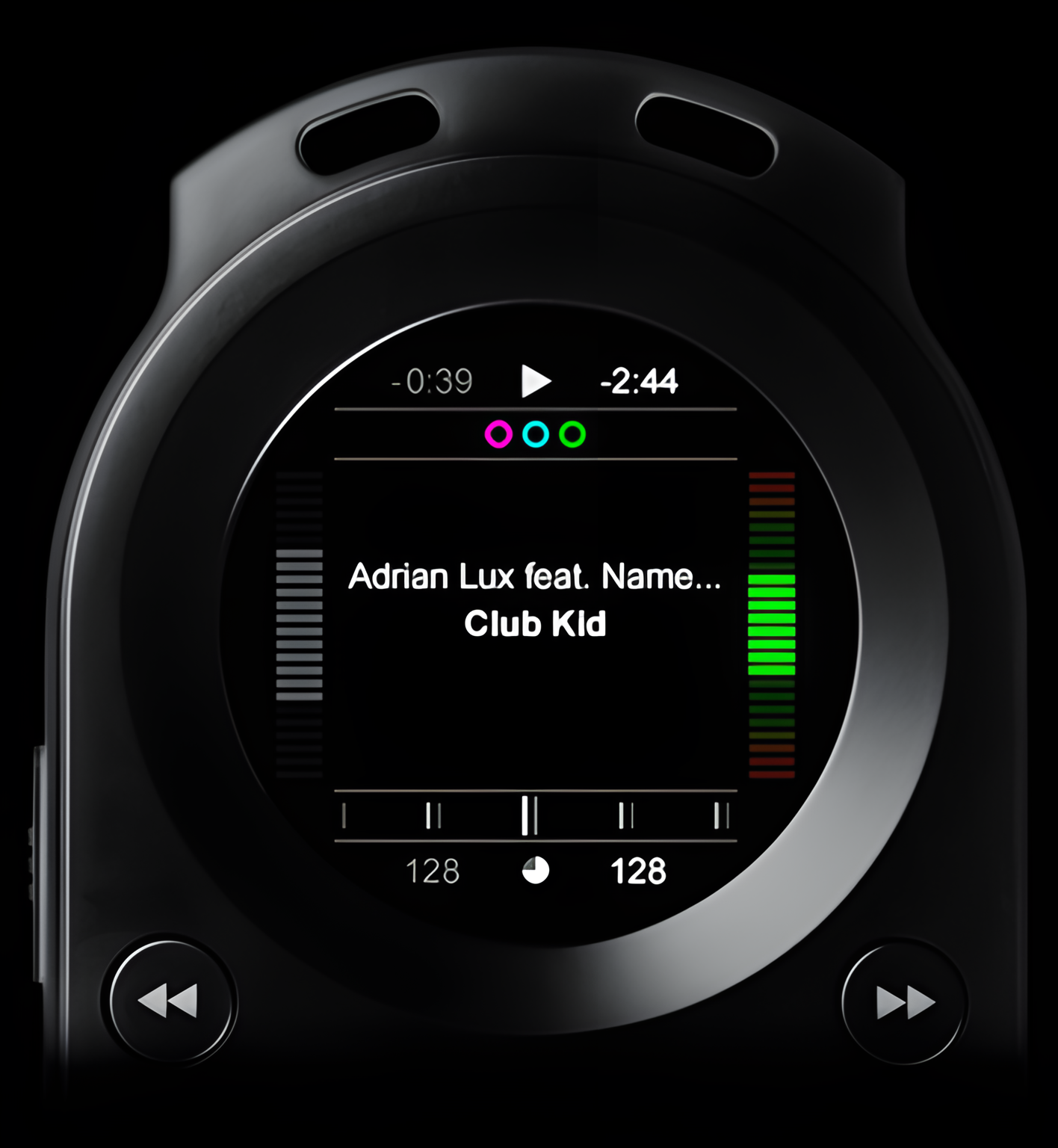
Playback control
Auto beatmatch
Instantly sync tempo and phase of two tracks by the click of a button.
Timestretch
Alter and set the tempo of a track ± 100% without affecting pitch/key.
Pitch speed
Alter track tempo ± 100% and pitch/key ± one octave in parallel.
Bend speed
Nudge a track into phase.
Beat graph
Visually monitor relative drifting in tempo and/or sync.
Instantly sync tempo and phase of two tracks by the click of a button.
Timestretch
Alter and set the tempo of a track ± 100% without affecting pitch/key.
Pitch speed
Alter track tempo ± 100% and pitch/key ± one octave in parallel.
Bend speed
Nudge a track into phase.
Beat graph
Visually monitor relative drifting in tempo and/or sync.
Loop
Create synchronized loops on the fly; set and adjust in-point and/or end-point, split from in-point or end-point, double from in-point or end-point, exit loop and re-loop. One loop per track will be saved until altered.
Reverse
Flip playback direction
Cue play
Play track from cue point and revert to cue point when releasing cue button.
Create synchronized loops on the fly; set and adjust in-point and/or end-point, split from in-point or end-point, double from in-point or end-point, exit loop and re-loop. One loop per track will be saved until altered.
Reverse
Flip playback direction
Cue play
Play track from cue point and revert to cue point when releasing cue button.
Cue control
Set cue point
Search and define starting point of a track with precise control.
Save cue point
One cue point per track will be permanently saved until altered.
Auto cue
Allow track to automatically cue up at track start or defined cue point when loaded.
Search and define starting point of a track with precise control.
Save cue point
One cue point per track will be permanently saved until altered.
Auto cue
Allow track to automatically cue up at track start or defined cue point when loaded.
DJ pause
A stuttering micro loop lets you listen, search and set cue point.
Vinyl pause
Track is halted in a vinyl-like pause letting you scrub, search and define cue point.
Headphones crossfader
Dynamically adjust what channel blend to listen to in the phones.
A stuttering micro loop lets you listen, search and set cue point.
Vinyl pause
Track is halted in a vinyl-like pause letting you scrub, search and define cue point.
Headphones crossfader
Dynamically adjust what channel blend to listen to in the phones.
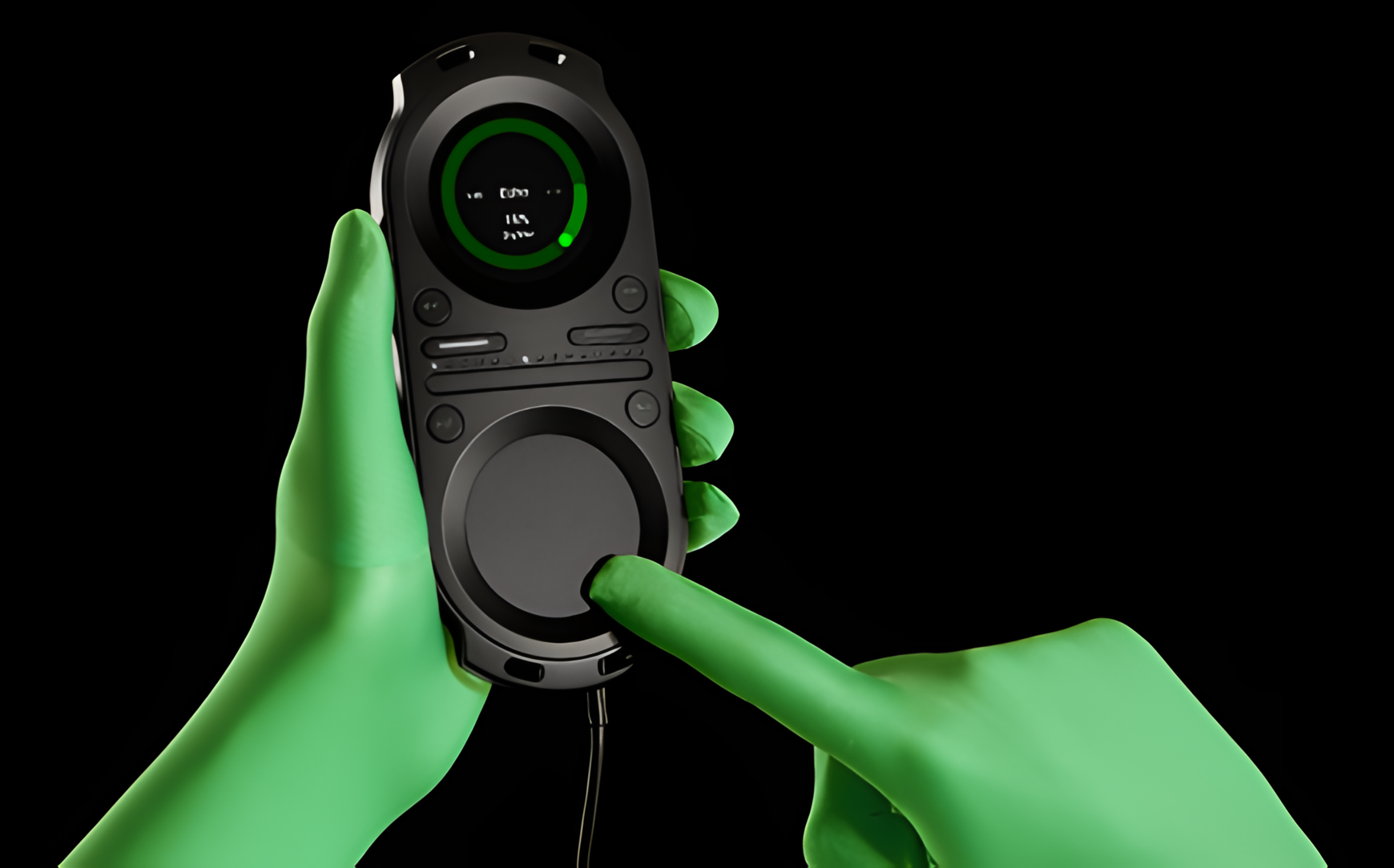
Effects control
Colour FX
Add and adjust single parameter audio effects Hi-cut/Lo-cut, Wah and Crush, to ± 1.0.
Beat FX
Add and adjust two-parameter audio effects Echo, Delay, Trans and Roll to dry/wet + 0–100% and Time at 1/8-8, and Reverb to dry/wet and size to + 0–100%.
Key
Temporarily adjust the two-parameter function Key; transpose a track key ± one octave in increments of halftones, and/or tune a track pitch ± 100% one halftone.
Add and adjust single parameter audio effects Hi-cut/Lo-cut, Wah and Crush, to ± 1.0.
Beat FX
Add and adjust two-parameter audio effects Echo, Delay, Trans and Roll to dry/wet + 0–100% and Time at 1/8-8, and Reverb to dry/wet and size to + 0–100%.
Key
Temporarily adjust the two-parameter function Key; transpose a track key ± one octave in increments of halftones, and/or tune a track pitch ± 100% one halftone.
 Kill-all
Instantly mute or re-engage activated audio effects.
Effects crossfader
Optionally incorporate ± 100% Bass or ± 1.0 Filter effects into the crossfader.
Sound control
Track EQ
Temporarily adjust equalization of loaded track.
Master EQ
Adjust master equalization for lineout output.
Temporarily adjust equalization of loaded track.
Master EQ
Adjust master equalization for lineout output.
Headphones EQ
Adjust equalization for headphones output.
Normalize sound
Globally normalize all tracks’ volumes.
Adjust equalization for headphones output.
Normalize sound
Globally normalize all tracks’ volumes.
Recording control
Record
Record your set directly to the hard disk with the integrated recorder, supporting transfer of mixes to the computer software, Pacemaker Editor.
Record your set directly to the hard disk with the integrated recorder, supporting transfer of mixes to the computer software, Pacemaker Editor.
Halt
Pause a recording and optionally select to continue, save, lock keys or create new mix.
Pause a recording and optionally select to continue, save, lock keys or create new mix.
Volume control
Master headphones volume
Adjust volume for headphones output.
Headphones volume limiter
Set volume limit for headphones output.
Lineout crossfader
Dynamically adjust lineout blend between the two channels.
Adjust volume for headphones output.
Headphones volume limiter
Set volume limit for headphones output.
Lineout crossfader
Dynamically adjust lineout blend between the two channels.
Gain
Temporarily adjust gain level of loaded track.
Master lineout volume
Adjust volume for lineout output.
Lineout volume limiter
Set volume limit for lineout output.
Temporarily adjust gain level of loaded track.
Master lineout volume
Adjust volume for lineout output.
Lineout volume limiter
Set volume limit for lineout output.
Track browsing control
Track navigation filters
Optionally activate and filter on one or more of the categories Genre, Album, Artist, BPM, Mix, Case, Remix, Label, Year, Added, Key, Rating, Type and Bitrate when browsing for tracks.
On-the-go Cases
Create on-the-go cases and edit any case via the context menu.
Optionally activate and filter on one or more of the categories Genre, Album, Artist, BPM, Mix, Case, Remix, Label, Year, Added, Key, Rating, Type and Bitrate when browsing for tracks.
On-the-go Cases
Create on-the-go cases and edit any case via the context menu.
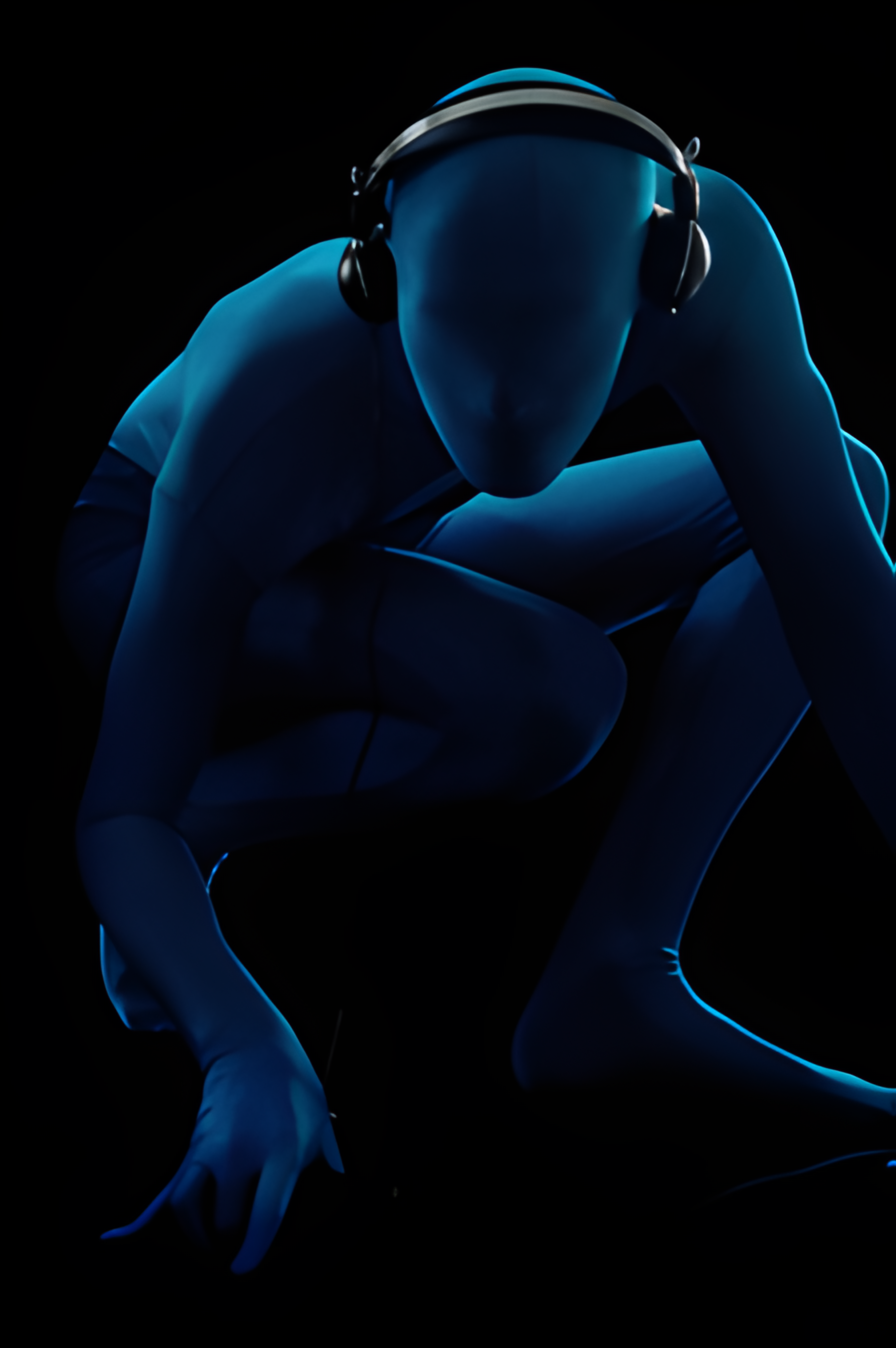
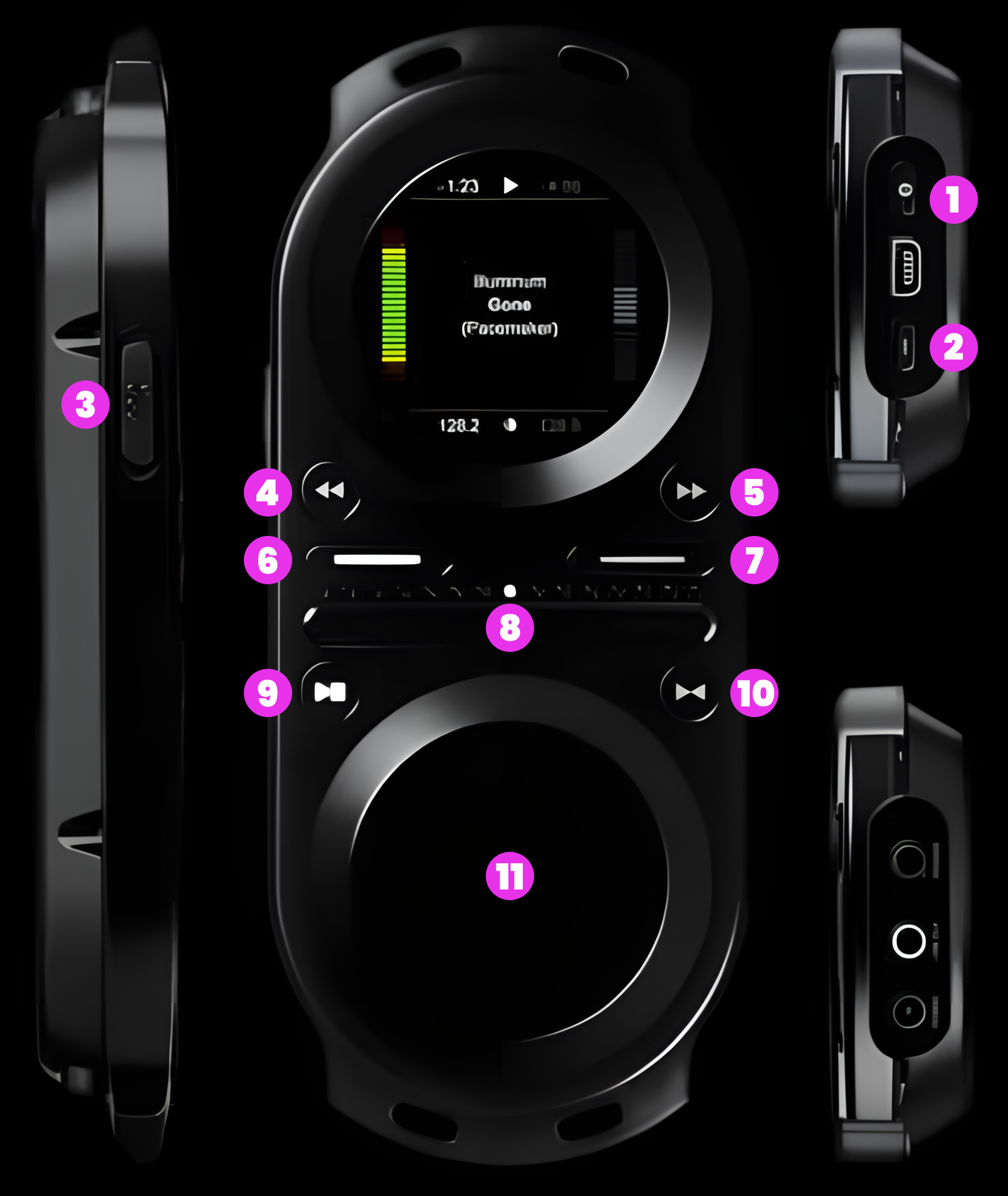
Pacemaker’s straightforward layout makes DJing easy.
1. Settings
Turn on/off device, access settings and context menu
2. Kill-all
Deactivate/relaunch effects
3. P-switch
Enable extended input, access monitoring functions
4. Rewind
Search or skip track, set/adjust loop in-point; split/double loop
5. Forward
Search or skip track, set/adjust loop end-point; split/double loop
6. Channel 1
Select for input, toggle view time played/time left
Turn on/off device, access settings and context menu
2. Kill-all
Deactivate/relaunch effects
3. P-switch
Enable extended input, access monitoring functions
4. Rewind
Search or skip track, set/adjust loop in-point; split/double loop
5. Forward
Search or skip track, set/adjust loop end-point; split/double loop
6. Channel 1
Select for input, toggle view time played/time left
7. Channel 2
Select for input, toggle view time played/time left
8. Crossfader
Ch1/ch2 lineout blend, ch1/ch2 headphones blend
9. Play
Play or pause track, reverse play, auto beatmatch
10. Cue
Set cue point, launch from cue point, exit/re-enter loop
11. Touchpad
Enter or exit music library, navigate lists, adjust audio effects and features
Select for input, toggle view time played/time left
8. Crossfader
Ch1/ch2 lineout blend, ch1/ch2 headphones blend
9. Play
Play or pause track, reverse play, auto beatmatch
10. Cue
Set cue point, launch from cue point, exit/re-enter loop
11. Touchpad
Enter or exit music library, navigate lists, adjust audio effects and features
Technical specifications
Pacemaker’s multiple award-winning hardware is designed to deliver in every aspect of deejaying.
The reliability and ease of use follows the same intuitive workflow as industry-standard machinery
but Pacemaker is tailor-made for modern music engagement, taking the prospects of portable
deejaying to the next frontier.
Pacemaker’s multiple award-winning hardware is designed to deliver in every aspect of deejaying.
The reliability and ease of use follows the same intuitive workflow as industry-standard machinery
but Pacemaker is tailor-made for modern music engagement, taking the prospects of portable
deejaying to the next frontier.
Display
• TFT display
• 262.000 colours
• 166 ppi screen resolution
• 1.7-inch (diameter) active area
Audio
• Frequency response:
20Hz to 20.000Hz
• Signal-to-noise ratio:
100 dB at 2 VRMS
• Configurable max volume limit
• Supported formats: MP3, MP3 VBR, M4A (AAC-LC), AIFF, FLAC, WAV, Ogg Vorbis and SND
Input and output
• 3.5 mm stereo lineout connector
• 3.5 mm stereo phones connector
• Mini USB 2.0 connector, for data transfer and charging
• Power connector, for charging with external adapter
• TFT display
• 262.000 colours
• 166 ppi screen resolution
• 1.7-inch (diameter) active area
Audio
• Frequency response:
20Hz to 20.000Hz
• Signal-to-noise ratio:
100 dB at 2 VRMS
• Configurable max volume limit
• Supported formats: MP3, MP3 VBR, M4A (AAC-LC), AIFF, FLAC, WAV, Ogg Vorbis and SND
Input and output
• 3.5 mm stereo lineout connector
• 3.5 mm stereo phones connector
• Mini USB 2.0 connector, for data transfer and charging
• Power connector, for charging with external adapter
Size and weight
• Height: 6.45 inches (164 mm)
• Width: 2.71 inches (69.6 mm)
• Depth: 0.86 inch (22.8 mm)
• Weight: 6.5 ounces (185 grams)
Capacity
• 60GB (model P666) / 120GB (model P211) hard drive
Holds approx. 15.000 (model P666) / 30.000 (model P211) tracks in 128 Kbps AAC format
• Stores data via USB hard drive
In the box
• Pacemaker DJ Device
• USB 2.0 cable
• Pacemaker Editor computer software (featured on device hard drive)
• Quick start guide
• Hardware warranty
• 3m RCA cable (model P211 only)
• Power adapter, 5V DC @ 2A output (model P211 only)
• Neck strap (model P211 only)
• Height: 6.45 inches (164 mm)
• Width: 2.71 inches (69.6 mm)
• Depth: 0.86 inch (22.8 mm)
• Weight: 6.5 ounces (185 grams)
Capacity
• 60GB (model P666) / 120GB (model P211) hard drive
Holds approx. 15.000 (model P666) / 30.000 (model P211) tracks in 128 Kbps AAC format
• Stores data via USB hard drive
In the box
• Pacemaker DJ Device
• USB 2.0 cable
• Pacemaker Editor computer software (featured on device hard drive)
• Quick start guide
• Hardware warranty
• 3m RCA cable (model P211 only)
• Power adapter, 5V DC @ 2A output (model P211 only)
• Neck strap (model P211 only)
System requirements
PC
• USB 2.0 port
• Windows XP and Windows Vista
• Pacemaker Editor for Windows
Mac
• USB 2.0 port
• Mac OS X v10.4.4 or later
• Pacemaker Editor for Mac (32-bit supported OS only)
Pacemaker Editor is included on the Pacemaker device hard-drive. The latest version is available here.
Battery and power
• Built-in rechargeable Lithium-ion battery
• Play mode time:
Up to 15 hours when fully charged
• Mix mode time:
Up to 5 hours when fully charged
• Charging via USB to computer system:
Full-charge time about 3 hours
• Charging via AC charger (sold separately):
full-charge time about 1.5 hour
PC
• USB 2.0 port
• Windows XP and Windows Vista
• Pacemaker Editor for Windows
Mac
• USB 2.0 port
• Mac OS X v10.4.4 or later
• Pacemaker Editor for Mac (32-bit supported OS only)
Pacemaker Editor is included on the Pacemaker device hard-drive. The latest version is available here.
Battery and power
• Built-in rechargeable Lithium-ion battery
• Play mode time:
Up to 15 hours when fully charged
• Mix mode time:
Up to 5 hours when fully charged
• Charging via USB to computer system:
Full-charge time about 3 hours
• Charging via AC charger (sold separately):
full-charge time about 1.5 hour
Environmental requirements
• Operating temperature:
32° to 95° F (0° to 35° C)
• Storage temperature:
-4° to 113° F (-20° to 45° C)
• Relative humidity:
5% to 95% non-condensing
• Maximum operating altitude:
10.000 feet (3.000 m)
Languages
• English, Japanese, Korean
• Additional language support for display of song, album, and artist information: Russian, Ukrainian, Serbian, Croatian, Basque, Breton, Bulgarian, Czech, Danish, Dutch, Estonian, Finnish, Flemish, French, German, Greek, Hungarian, Irish, Italian, Latvian, Lithuanian, Maltese, Polish, Portuguese, Romanian, Scots Gaelic, Slovak, Slovenian, Spanish, Swedish, Turkish and Welsh.
• Operating temperature:
32° to 95° F (0° to 35° C)
• Storage temperature:
-4° to 113° F (-20° to 45° C)
• Relative humidity:
5% to 95% non-condensing
• Maximum operating altitude:
10.000 feet (3.000 m)
Languages
• English, Japanese, Korean
• Additional language support for display of song, album, and artist information: Russian, Ukrainian, Serbian, Croatian, Basque, Breton, Bulgarian, Czech, Danish, Dutch, Estonian, Finnish, Flemish, French, German, Greek, Hungarian, Irish, Italian, Latvian, Lithuanian, Maltese, Polish, Portuguese, Romanian, Scots Gaelic, Slovak, Slovenian, Spanish, Swedish, Turkish and Welsh.
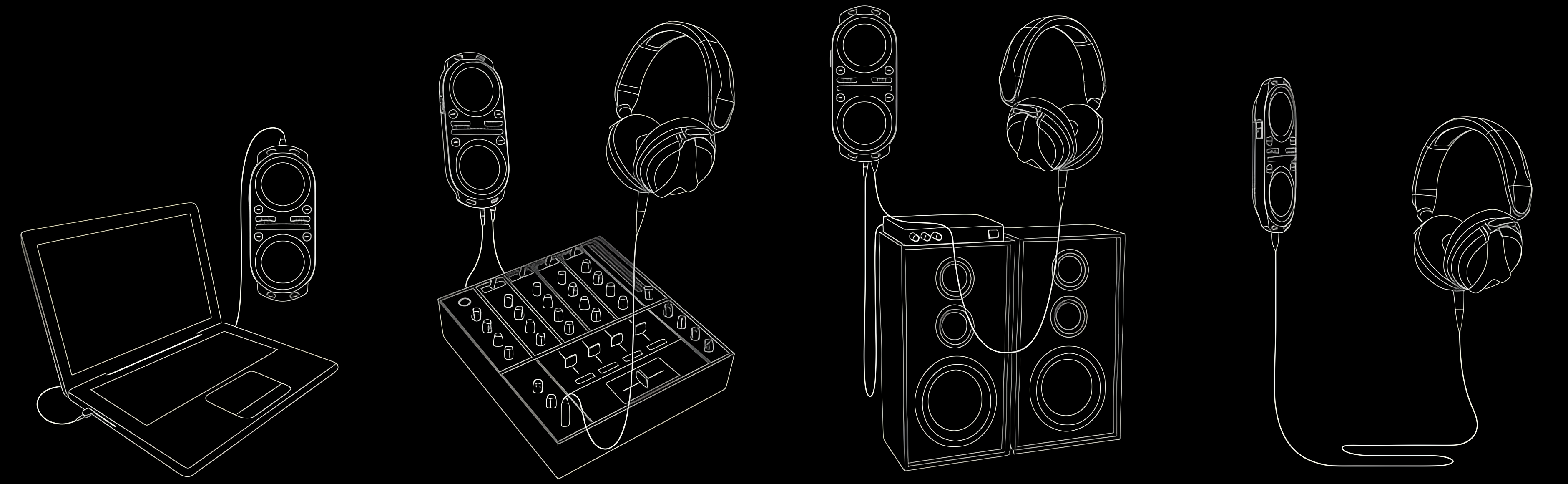
Connect to your computer via USB
to transfer tracks and mixes
to transfer tracks and mixes
Connect the two outputs to an external
mixer to add two more channels
mixer to add two more channels
Connect to an amplification system via
a 3,5 mm tele to 2 x RCA cable
a 3,5 mm tele to 2 x RCA cable
Connect your headphones via the
3,5 mm tele jack
3,5 mm tele jack